Top 5 Networking Tools Every IT Professional Should Know
Networking is at the heart of every modern IT infrastructure. Managing, maintaining, and troubleshooting networks requires specialized tools that can help IT professionals stay ahead of potential issues. The right set of networking tools can enhance efficiency, ensure network stability, and streamline troubleshooting processes. In this blog, I'll explore the top 5 networking tools every IT professional should know, along with how they can make a significant difference in your daily network management tasks.
1. Wireshark: The Industry-Standard Packet Analyzer
Overview of Wireshark
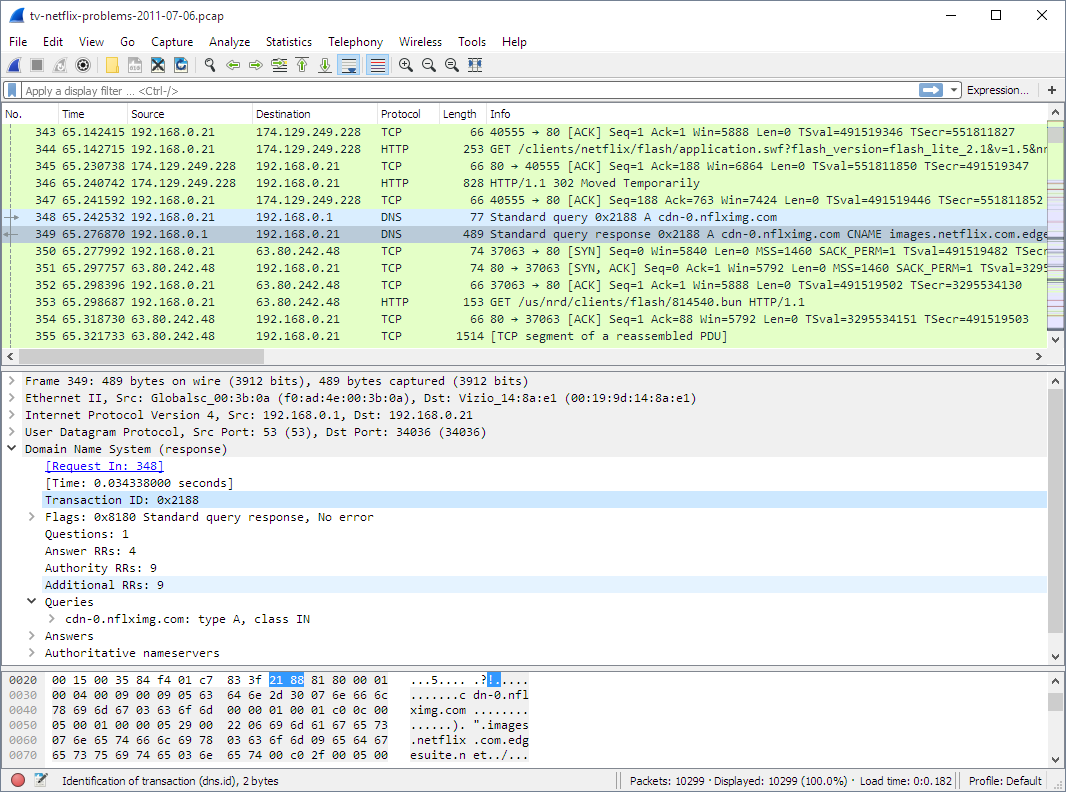
Wireshark is one of the most popular and powerful open-source network protocol analyzers. It allows IT professionals to capture and analyze data packets traveling through a network in real time. Wireshark's ability to inspect a wide range of network protocols makes it a go-to tool for network troubleshooting and performance optimization.
Key Features
- Deep protocol inspection with support for hundreds of protocols
- Real-time data capture from a variety of network interfaces (Ethernet, Wi-Fi, etc.)
- Detailed packet analysis and filtering for targeted troubleshooting
- Ability to read live or recorded data for post-event analysis
Use Cases
Wireshark is invaluable for diagnosing network issues, such as slow connections, dropped packets, or identifying unauthorized access attempts. Network administrators can use it to analyze packet flow, pinpoint bottlenecks, and resolve issues that can slow down or compromise network security.
2. SolarWinds Network Performance Monitor (NPM)
Overview of SolarWinds NPM
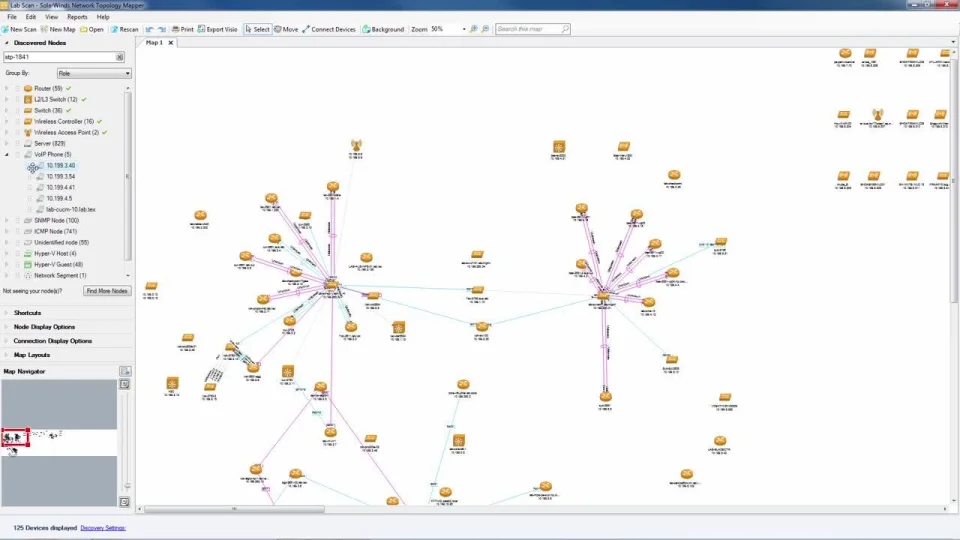
SolarWinds Network Performance Monitor (NPM) is an industry-leading network monitoring tool known for its comprehensive real-time visibility into network devices. From switches and routers to firewalls and servers, SolarWinds NPM offers insights into device health, performance, and uptime, helping network administrators keep networks running smoothly.
Key Features
- Network device auto-discovery and mapping
- Performance monitoring for critical metrics like bandwidth, latency, and uptime
- Customizable alerts to notify you of potential issues before they become critical
- Detailed performance reports and insights for proactive maintenance
Use Cases
SolarWinds NPM is perfect for monitoring large and complex networks. It enables IT professionals to quickly identify performance issues and mitigate risks like bandwidth congestion, high latency, or packet loss. With its real-time alerts, admins can address problems before they affect end users, ensuring consistent uptime and performance.
3. PRTG Network Monitor: Comprehensive Network Monitoring
Overview of PRTG Network Monitor
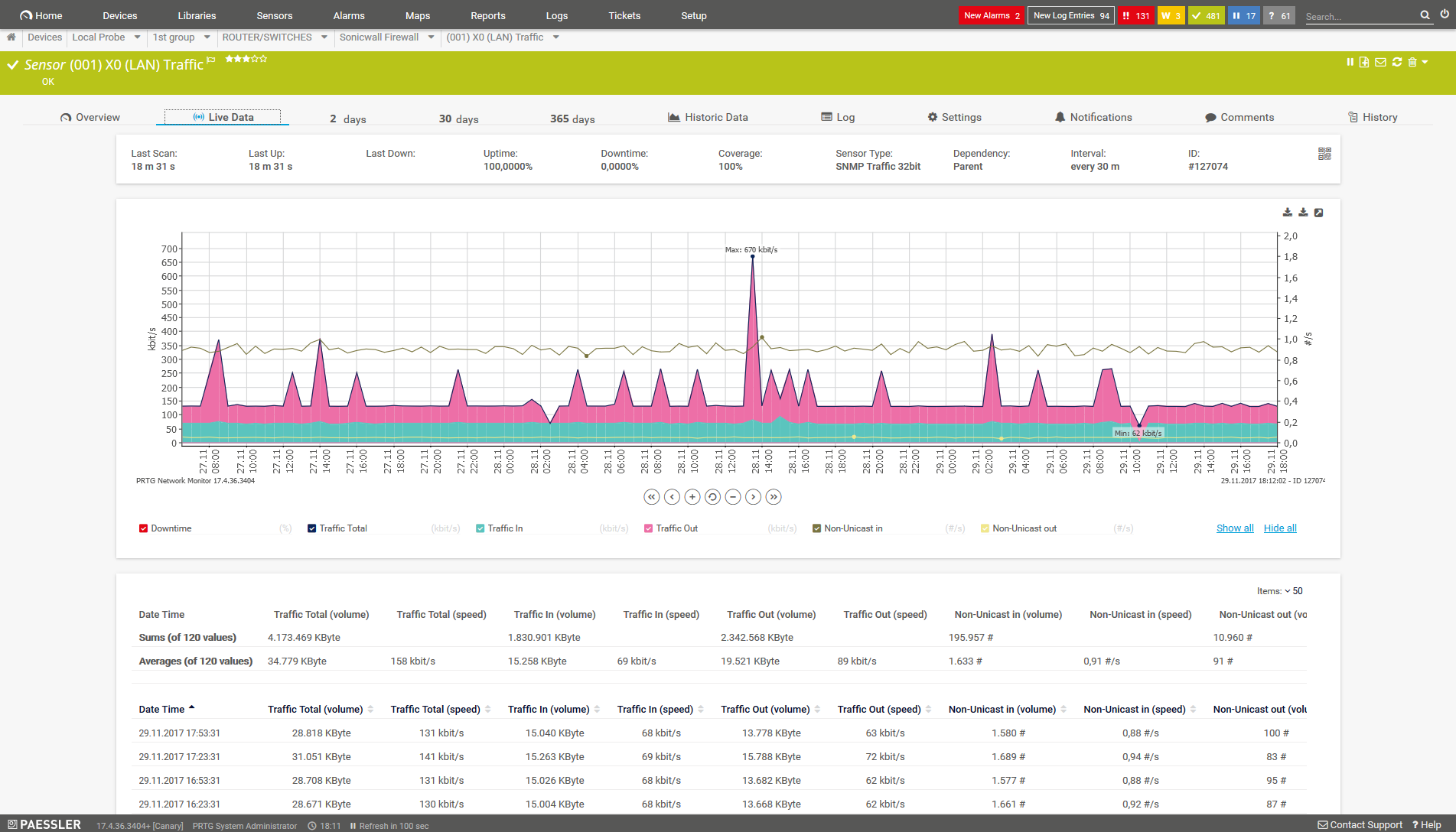
PRTG Network Monitor by Paessler is an all-in-one monitoring tool that covers your entire network, from devices to applications. It provides real-time monitoring for bandwidth, CPU usage, traffic, and other critical metrics, ensuring that network administrators always have visibility into their network’s health.
Key Features
- Over 200 pre-configured sensors for tracking different metrics
- Customizable dashboards to monitor specific devices or applications
- Real-time alerts and customizable thresholds to notify when specific conditions are met
- Bandwidth monitoring to detect which applications or devices are consuming the most resources
Use Cases
PRTG is widely used to monitor both small and large network environments. IT professionals rely on it for early detection of network issues, bandwidth bottlenecks, and server load imbalances. The ability to create customized dashboards makes PRTG especially useful for monitoring specific areas of concern, such as server farms or high-traffic network segments.
4. Ping: The Simplest Yet Essential Tool
Overview of Ping
Ping is a basic but essential network utility that helps determine if a device is reachable over a network. It works by sending an Internet Control Message Protocol (ICMP) echo request to a target host and measuring how long it takes to receive a reply. While it may seem simple, Ping is still a vital tool in the IT professional’s toolkit.
Key Features
- Quick verification of connectivity between devices
- Measures latency and round-trip time (RTT)
- Identifies packet loss and network delays
- Simple, lightweight, and available on all major operating systems
Use Cases
Ping is primarily used for basic troubleshooting. When a user reports an issue with network connectivity, Ping is the first tool most IT professionals reach for. It can help determine if the device is online and whether there’s a delay in communication. If the Ping times are too high, it can indicate a slow or unreliable connection.
5. Nmap: The Network Scanner
Overview of Nmap
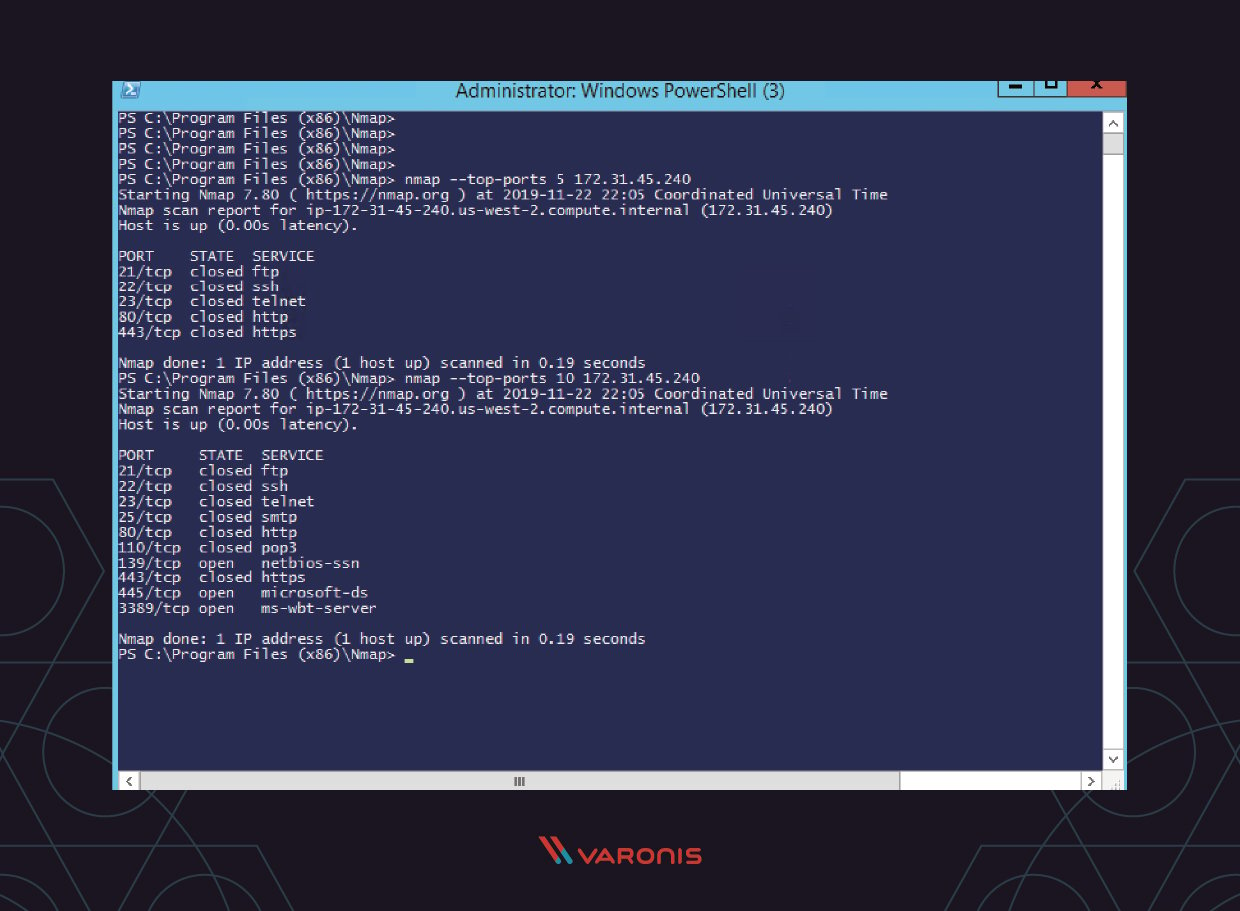
Nmap (Network Mapper) is a free, open-source network scanning tool used for network discovery and security audits. It’s a favorite among IT professionals and security experts alike for identifying open ports, services, and vulnerabilities within a network.
Key Features
- Scans entire networks for open ports and services
- Detects security vulnerabilities and misconfigured devices
- Supports advanced scanning techniques like OS fingerprinting
- Automates network discovery and reporting
Use Cases
Nmap is primarily used for security auditing and vulnerability assessment. IT professionals can use it to scan networks for open ports and determine which services are running on them. By identifying potentially vulnerable services, Nmap helps administrators safeguard their networks against unauthorized access and attacks.
Conclusion
Mastering the right networking tools can make all the difference in the world for IT professionals. Tools like Wireshark, SolarWinds NPM, PRTG, Ping, and Nmap offer everything from simple connectivity checks to in-depth network analysis and performance monitoring. Regularly using and becoming proficient with these tools will allow IT professionals to diagnose issues quickly, optimize performance, and keep their networks secure.
.jpeg)

Comments
Post a Comment